A long talk is easy to lose track of
Lectures, webinars, and keynotes keep moving while you are still working out one sentence. Captions give you a readable thread to catch up on without replaying the audio.

Live caption translation
Caption translation starts with a transcript: speech is written down in the original language, then translated and shown as captions in your language. Owll Translator keeps both lines together, so you can follow a talk, video, or meeting as it happens and check names or numbers against the original wording.
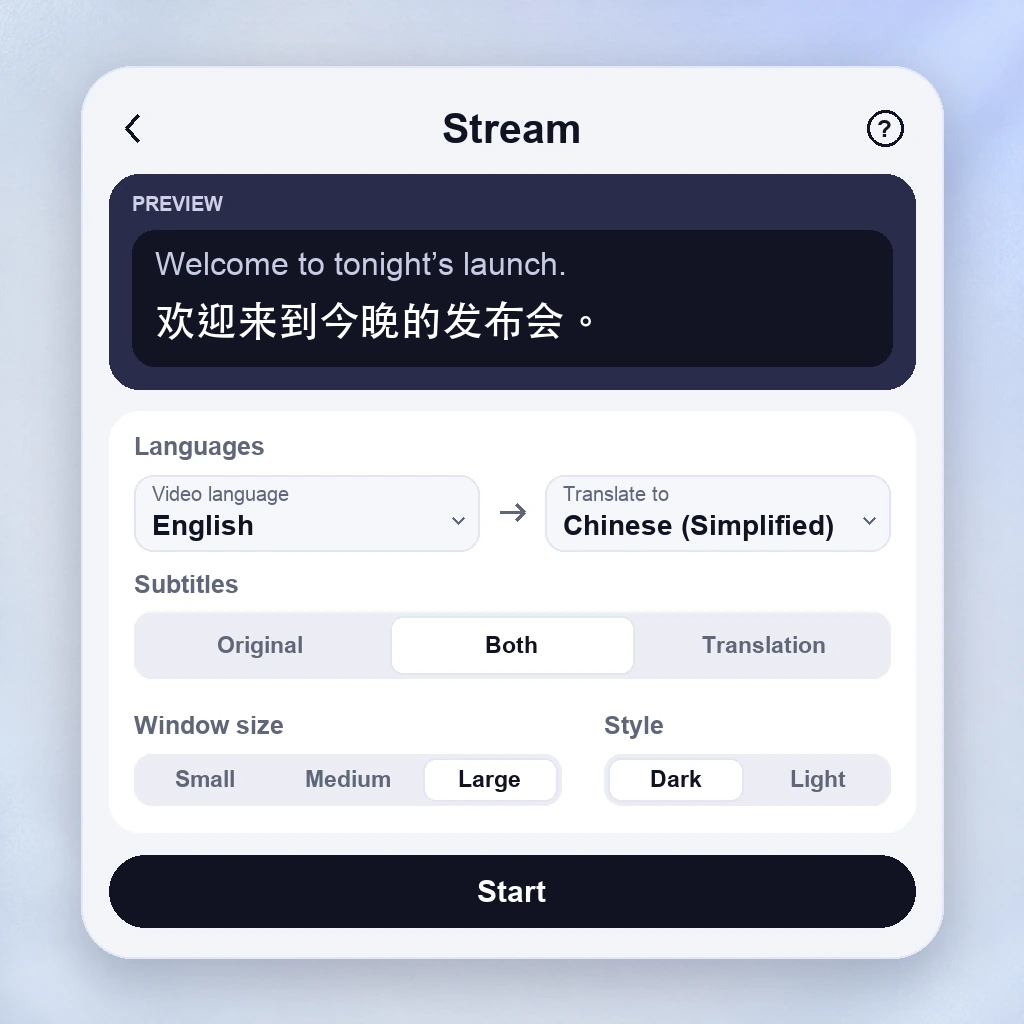
A live caption translator starts with a transcript: speech recognition writes down what was said in the source language, then machine translation produces the second line. Both appear as captions you can read while the speaker keeps talking.
Keeping the original line matters. Names, product codes, places, and numbers are easy to misread in translation, so bilingual captions let you compare the two instead of trusting a single translated sentence.
Try live captions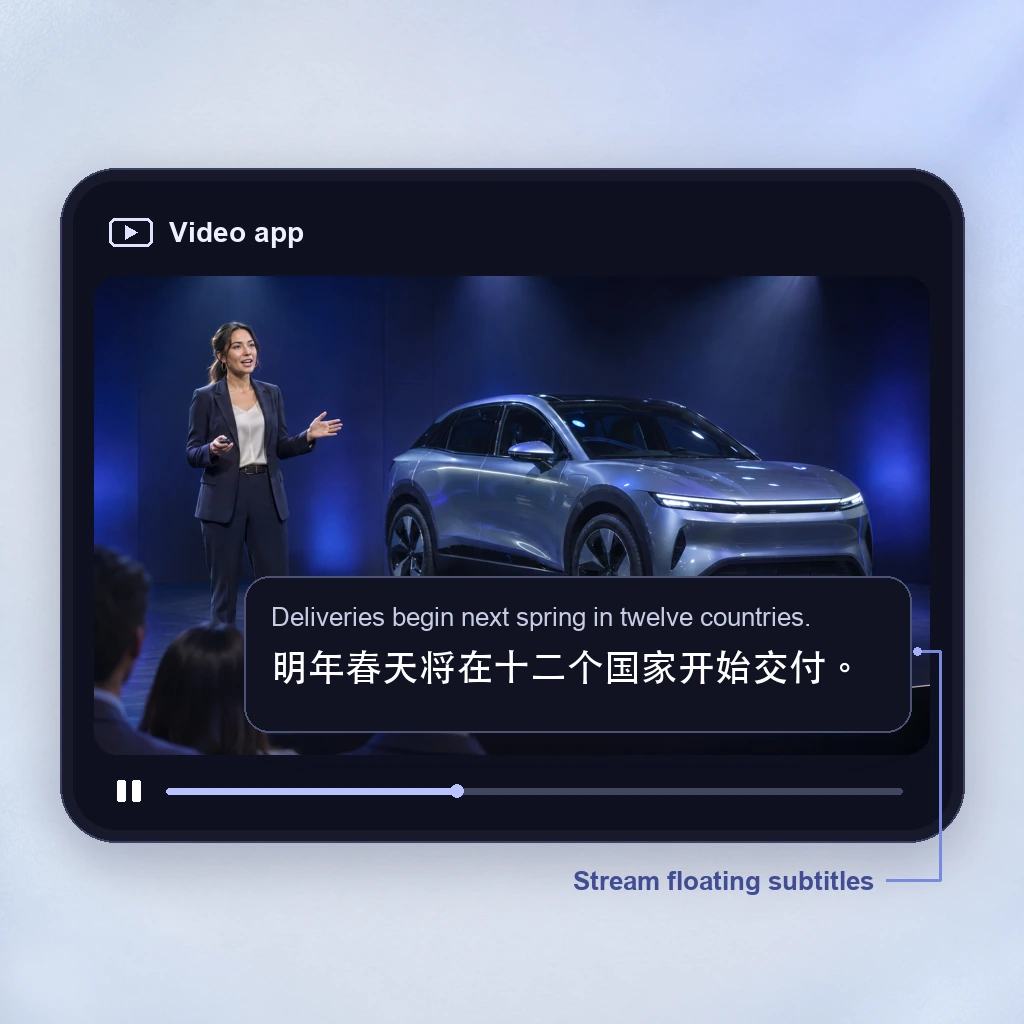
A phrase translator waits for a turn. Live captions follow continuous speech instead: a lecture, a stream, a presentation, or a long explanation. New lines arrive while the speaker is still talking, so you keep watching rather than stopping to translate.
There is a short delay while speech is recognized, translated, and displayed, and early captions can be revised as more words arrive. Clear audio and one speaker at a time make the caption stream much easier to read.
Try real-time captions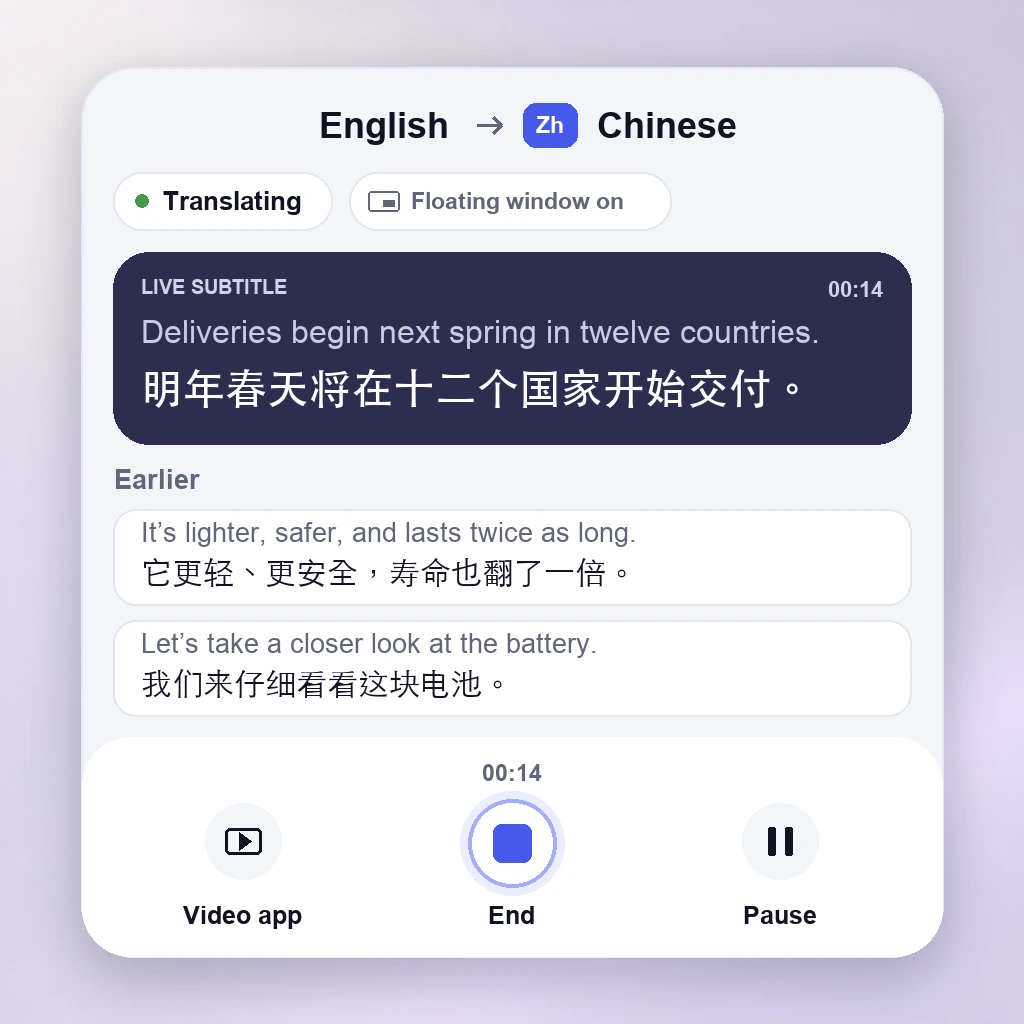
Recognition mistakes carry into the translation, especially with background noise, overlapping voices, unfamiliar accents, or specialist terms. Treat captions as reading support: confirm prices, dates, and decisions against the original line when the stakes are high.
The Owll Translator browser tool listens through your microphone and shows text captions only. It does not play translated speech, capture audio from another tab or a streaming platform, or save a transcript. For longer sessions, use the Owll Translator app.
Try live caption translationLectures, webinars, and keynotes keep moving while you are still working out one sentence. Captions give you a readable thread to catch up on without replaying the audio.
A product code, a place, a figure, or the name of a speaker needs checking. Bilingual captions keep the original transcription visible, so live caption translation errors are easier to spot.
Cafés, exhibition halls, and shared spaces add noise. Even when you can hear the language, reading along makes the content easier to follow.
Captions also help people who are deaf or hard of hearing, prefer subtitles, or are learning a language. Visible text gives the audio a second path into the meaning.
Speech written down as text while it is being spoken. Same-language captions are a transcript — they help you read along, but they do not change the language.
The meaning rendered in another language. When that output follows the audio as on-screen text, it is live caption translation — also called translated subtitles or bilingual captions.
A different kind of output: the translation is spoken back, usually for two people taking turns. The Owll Translator browser tool is a caption tool instead — it shows text only and does not play translated speech.
When a stream, interview, or clip has no subtitle track in your language, live captions fill the gap.
Product names, deadlines, and next steps are easy to lose in a call. Captions keep them readable while the speaker keeps presenting.
A long talk or online course rarely pauses for translation. Readable captions let you keep up without stopping the speaker.
Specialist terms, names, and figures become easier to check when the conversation is also on screen as text.
Compare what you heard with both caption lines, then try saying the phrase yourself.
Captions help deaf and hard-of-hearing viewers, and anyone following content in a quiet room or with the volume off.
Live caption translation turns speech into text, translates that text, and shows the result as captions while the audio is still playing. A live captions translator usually keeps the original transcription and the translated subtitle together, so you can read along and check what was said.
A voice translator is built for taking turns: someone speaks, the tool translates, and the other person hears or reads a reply. A live captions translator is built for following continuous speech, such as a video, a lecture, or a meeting, as readable text. The Owll Translator browser tool is a caption tool: it shows text and does not play translated speech.
Yes. The browser tool shows two caption columns: the recognized words in one language and the translation in the other. Keeping the original line makes names, numbers, and technical terms easier to verify when speech recognition is imperfect.
Not directly. The web tool listens through your microphone, so it cannot capture audio from another browser tab, a live stream, or a video call. Sound played through your speakers may reach the microphone, but clarity depends on volume and room noise. Our guides cover platform-specific caption options.
Captions arrive a moment after the words are spoken because live speech translation must recognize, translate, and display the text. Background noise, overlapping speakers, accents, and jargon can cause errors, and early lines may be revised as more words arrive. For important decisions, check the original caption.
No. Live caption translation runs in your browser with your microphone, so there is no download. The free trial is short, captions are text-only and are not saved or exported, and the Owll Translator app covers longer sessions. Check the app for its current languages and plans.