Owll Translator
Voice TranslatorUse CasesBlogFAQDownload

Live voice translation

Real-Time Voice Translator Online

Conversation

Conversation transcript

Recognized speech and translations will appear here.

Recognized speech and translations will appear here.

Checking voice service

We’re checking the language list and your available Web time. This can take a moment.

Start
A little gift from Owll Translator

Keep translating with 3 free days

Your web translation time is up. Continue in the Owll Translator app.

Get the app

Today's free trial limit has been reached

Today's free web translation allowance is fully used. Please try again tomorrow.

Get the app

A simple three-step flow

How to translate your voice online

Choose two languages, then take turns speaking either one in the same conversation. Read each recognized utterance and its translation in the language columns. The Web trial lasts up to one cumulative minute.

  1. 01

    Choose your languages

    Choose two languages from the current catalog with the language buttons. English (US) and Simplified Chinese are selected when both are available. The browser translator displays recognized speech and translations as text captions only.

  2. 02

    Start and allow the microphone

    Press Start and approve your browser’s microphone request. Once the status says Listening, take turns speaking short, complete thoughts in either selected language. Give each translation a moment to appear before moving to the next sentence.

  3. 03

    Follow the exchange

    The two caption windows stay in the order of your selected languages. When someone speaks in the second language, those recognized words appear in its window and the translation appears in the first language’s window. Both are shown as text only.

Try voice translation
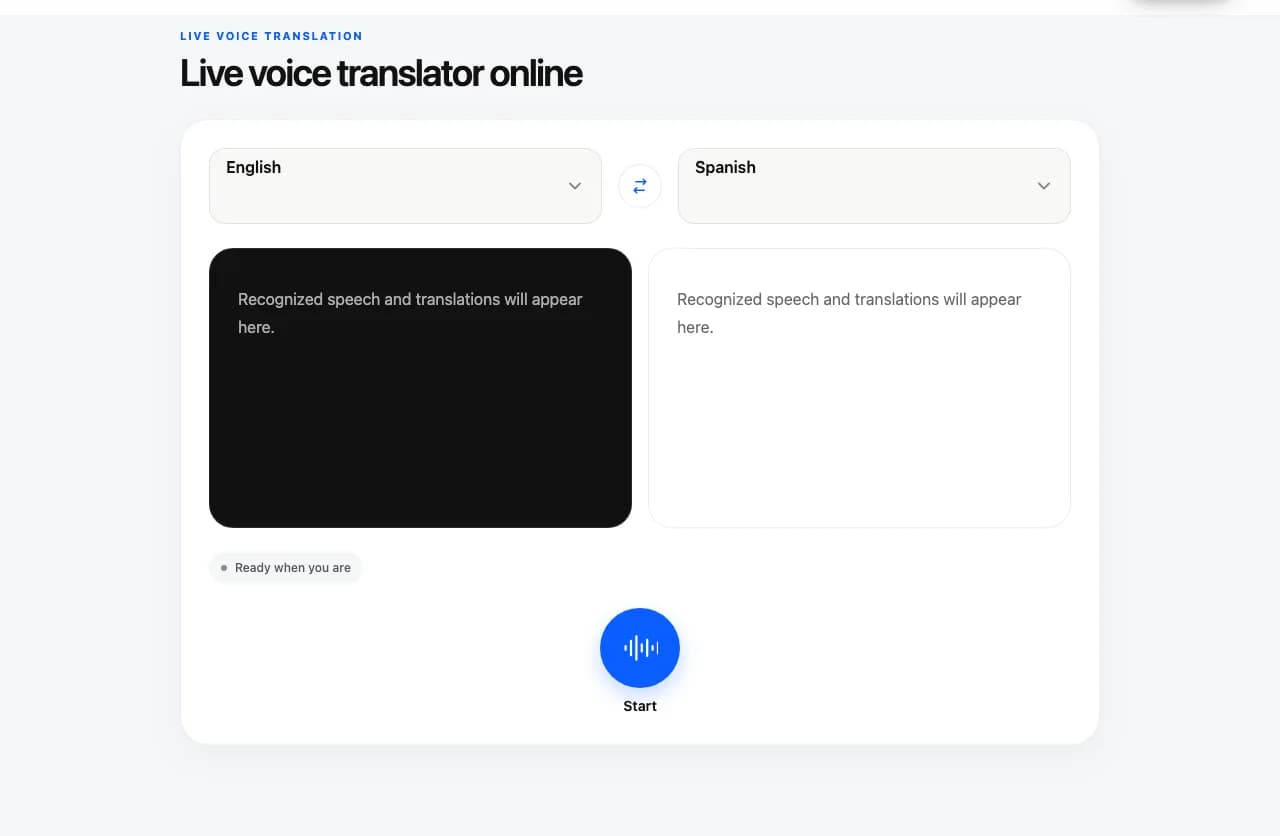
Illustrative Owll Translator text translator with English and Spanish selected, two compact caption panels, and the Start button

Words on screen

Read the words. Share the meaning.

Live voice translation combines speech recognition and text translation. Seeing both sides helps you notice when a name, number, or phrase was heard differently from what you intended. Wait for a sentence to settle before relying on its wording: live captions can change while you are still speaking.

The browser tool keeps each utterance and its translation together in two compact caption windows tied to the selected languages, even when the next person replies in the other language. Each window follows new captions while you are at the bottom; scroll up to read earlier turns, then choose Back to latest when you are ready. The Web trial offers up to one cumulative minute across Start and Stop or a page refresh. When you stop, the text already on this page remains visible so you can check the exchange before leaving.

Two-language text captionsIllustrative example

English (US)

“Could you tell me where the train station is?”

Simplified Chinese

“你能告诉我火车站在哪里吗?”

Current language catalog

Choose two conversation languages

Choose two languages from the voice-service catalog. A conversation can move in either direction within one session; the captions keep each language in its own fixed window. The Web trial offers up to one cumulative minute per visitor, including time used before a refresh or after you stop.

How to select the two conversation languages in the browser voice translator
SettingHow it works
First languageChoose one of the two conversation languages from the catalog.
Second languageChoose the other conversation language. Each appears in its own transcript column.
Conversation directionEither selected language can be spoken in the same session; its translation appears in the other language’s column.

The English (US) and Simplified Chinese exchange above is one illustrative pair, not the full catalog. This browser’s catalog and pair availability may differ from the Owll Translator app.

Short, practical exchanges

A little help for everyday conversations

Travel questions

Try a short exchange about directions, opening times, or where to find something. Show the translated caption to the other person, and confirm important details such as a platform number or meeting time.

Language practice

Say a sentence you already know, compare the recognized words with what you intended, and read the translation. Try rephrasing the same idea. This is a way to explore wording, not a pronunciation score or a proficiency assessment.

Introductions and quick clarifications

Introduce yourself, ask a simple follow-up question, or clarify a phrase when people using the two selected languages meet. Take turns speaking in either language; its fixed column shows the words and the other column shows the translation.

Two adults talking over a map and laptop at a café

Practical tips

Get clearer captions and translations

  • 01Keep the microphone close enough to hear you clearly, and reduce music or other voices nearby.
  • 02Use short sentences rather than several questions at once. Pause briefly so you can read the result.
  • 03Repeat names, addresses, dates, and numbers if the original caption is wrong. Translation depends on the words the tool first recognizes.
  • 04Keep this tab in the foreground while using the tool. Moving away or hiding the page stops the session.

Quick troubleshooting

No microphone input?

Check this site’s microphone permission and your system input device, then return to the tool and start again. If another application is using the microphone, close that recording session first.

Does the browser play translated speech?

No. The browser voice translator shows recognized speech and translations as text captions only; it does not play translated speech.

Connection interrupted?

Wait for the status to recover before speaking. If the session ends, check your connection and press Start again. A reconnect does not guarantee that speech from the interruption can be recovered.

Know what to expect

What you can do in the browser

This page is designed for live microphone translation. It does not import media or keep a transcript library.

Current voice translator web tool capabilities
CapabilityAvailability
Live microphone speechSupportedSpeak after the Listening status appears.
Two-language text captionsShown togetherEach language stays in its own compact caption window, and the words remain on the page after stopping until you leave or refresh.
Text-only translationOn-screen captionsThe browser tool shows recognized speech and translations as text. It does not play translated speech.
Two-way conversationBoth selected languagesTake turns speaking either language in the same session. The transcript columns stay fixed by language.
Audio/video files or meeting audioNot supportedThis page takes live microphone input; it does not upload files or capture a meeting tab.
Saving or exporting a transcriptNot supportedThere is no saved history or export on this page.

For a longer conversation or other translation tasks, explore the Owll Translator app. App availability and supported languages may differ from this browser tool.

Voice translation FAQs

Questions before you start

01Is this online voice translator free?

You can try up to one cumulative minute of live Web translation per visitor. Time already used stays counted if you stop or refresh. When it ends, download Owll Translator to continue with three free days in the app.

02Which languages can I use here?

Choose two languages from the options currently available in this browser. They come from the voice-service catalog and may include regional variants. The Owll Translator app may have different language options.

03Can two people take turns speaking different languages?

Yes. Choose two languages before starting, then take turns speaking either one in the same session. Each language stays in its own transcript column, with the translation shown in the other language’s column. You do not need to stop and swap languages for the other person’s reply.

04Why does the wording change while I speak?

The first captions are provisional. As more speech arrives, the recognized text and translation can be revised. Let the sentence settle, then check whether the original text matches what you said, especially for names and numbers.

05Can I upload a recording, video, or meeting file?

Not on this page. It translates speech from your microphone during a live session. Uploading a file, importing a transcript, and capturing audio from another browser tab are not part of this web tool.

06How can I continue in the app?

When your Web translation time ends, use the download button to get Owll Translator and continue with three free days in the app. Existing captions stay visible on the page.

07Is my microphone always on, and can I save the transcript?

No. Microphone access begins only after you press Start and approve the browser request. Press Stop conversation to end capture. This page has no saved transcript history or export; see our Privacy Policy for information about how the service handles data.

08Can I use the browser translator offline or on my phone?

It needs an internet connection and a browser with microphone permission. Browser and device behavior can vary, especially in background tabs. This web version has been tested on desktop Chromium; use the Owll Translator app if you prefer a dedicated mobile experience.

App features

Explore more ways to use Owll Translator

These links describe features in the Owll Translator app; they are not additional controls in this browser tool.

Keep the conversation going

Try a short exchange here. Take Owll Translator with you.

Explore the Owll Translator app for your next conversation. Check the app for current features, supported languages, and plan options.

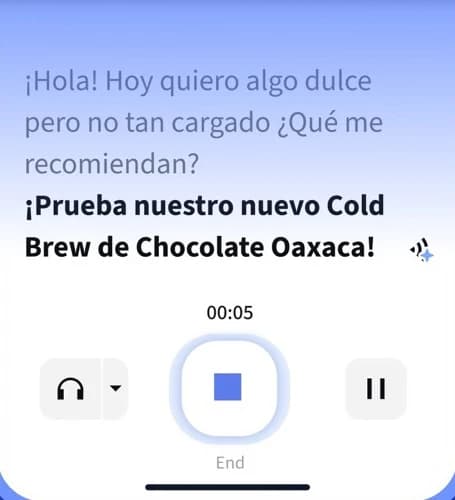
Owll Translator app conversation interface with a Spanish sample exchange and playback controls
Owll Translator app · Interface detail

Real-Time voice translator

Choose a language pair

Each page opens the same live microphone-to-text tool with a different starting pair. Check the two selected languages, then press Start when you are ready.