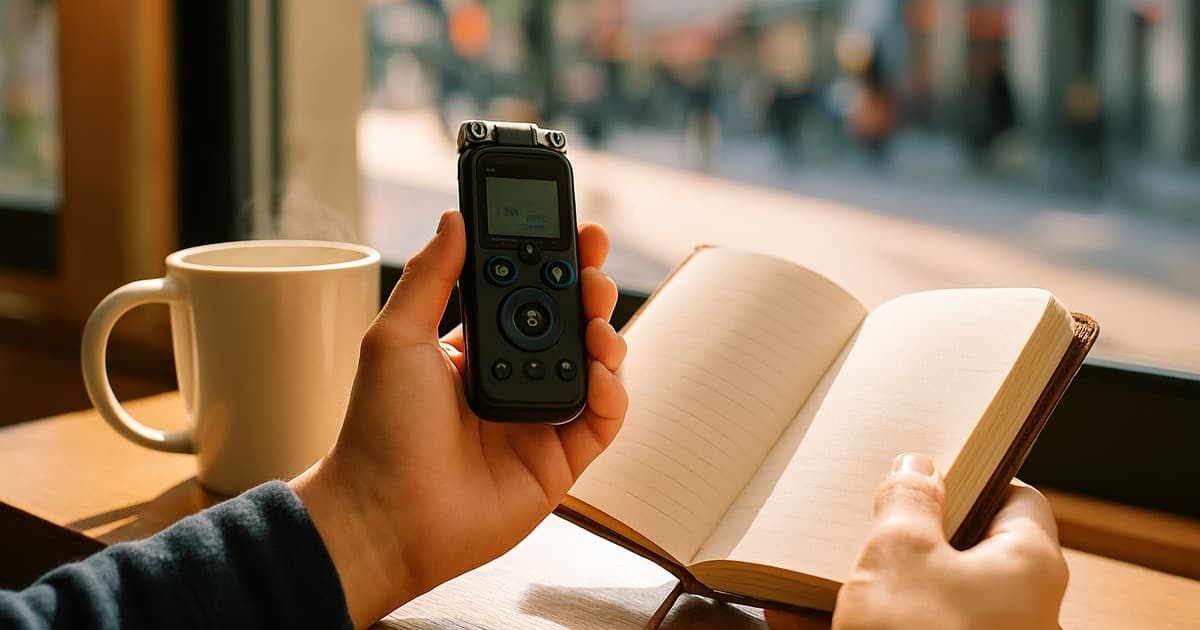
What Is an Earbud Translator App?
Quick Answer: Yes — a phone app can play translations through the Bluetooth earbuds you already own. You do not need Timekettle-style hardware. For live, back-and-forth talk in the buds, Owll Translator is the one on this list built for that job (~0.8 s in our timed pass, optional playback in your own voice). Fully free options are mainly Google Translate and Microsoft Translator; they work, but they are still turn-taking (you speak, wait, then hear the other side). Store listings for this query are dominated by Talking Translator.
Unlike dedicated translation earbuds (Timekettle WT2 Edge and similar, often $200–$400), an earbud translator app uses your phone’s mic and AI, then routes audio to AirPods, Galaxy Buds, or any other Bluetooth pair. The stack is the same three layers:
- Automatic Speech Recognition (ASR) — speech to text
- Neural Machine Translation (NMT) — text to the other language
- Text-to-Speech (TTS) — playback in the earbud, optionally in a cloned voice
If you specifically want Apple’s built-in Live Translation on AirPods, that is a different product. See our AirPods translator app guide and the AirPods Live Translation alternative if that is the job. This page is the any-earbuds app list.
How Earbud Language Translation Works
The loop is simple. Open the app, pick a language pair, speak, and the translation should land in your earbuds before the pause in a normal conversation feels awkward.
- Step 1: Select the pair (English ↔ Spanish, English ↔ Japanese, and so on).
- Step 2: Speak into the phone mic or a connected Bluetooth mic.
- Step 3: The app transcribes, translates, and plays audio to the earbuds.
- Step 4: The other person replies; the cycle repeats.
Where apps fail is step 4: overlapping speech, airport noise, and “each ear a different language” (the Reddit thread that still ranks for this query). Most free apps never solve that; they make you tap and wait. Owll is the exception on this list: it is built so you can stay in the conversation without tapping every sentence.
Do Earbud Translator Apps Actually Work?
For a taxi, a hotel desk, or a menu, yes. For a contract review, a noisy departure hall, or two people talking at once, often no. That is the honest split the ranking articles on this query are using, and it matches what you feel in the earbuds: a 3–8 second pause kills the conversation even when the sentence itself is accurate.
If the conversation has to stay face-to-face and keep moving, compare these apps as real-time conversation translators, not as dictionary tools. If you would rather buy hardware, use the 2026 translation earbuds roundup instead of this list.
Earbud Translator Apps Compared (2026)
Owll is the pick for live earbud conversation. The other six are the store-rank and free apps people actually search — useful, but still tap-and-wait. Latency for Owll, Google Translate, iTranslate, and Timekettle is from the June 2026 iPhone 15 Pro pass already on this page (10 language pairs). Talking Translator, Microsoft Translator, and SayHi are judged on the same earbud workflow; we are not inventing millisecond averages we did not log for those three.
| App | Free tier | Continuous earbud talk | Languages | Offline voice | Notes |
|---|---|---|---|---|---|
| Owll Translator | Free / Premium | Yes — built for live earbud conversation | 100+ | Select languages | ~0.8 s timed pass. Optional voice in your own voice |
| Talking Translator | Limited / subscription | Store-listed for earbuds; paywall after a short trial | 70+ | Limited | The app Google currently ranks in Play and the App Store for this query |
| Google Translate | Yes, unlimited | Turn-taking. Pause between sides | 133 | Text packs; live voice wants data | Best no-cost default. ~1.4 s in our timed pass, but you still tap |
| Microsoft Translator | Yes | Turn-taking; solid on Windows + phone | 70+ | Yes, with downloaded packs | Use this when you need offline phrases and already live in Microsoft |
| Timekettle App | App free; hardware sells the experience | Uneven without Timekettle buds | 40+ | Limited | ~1.2 s with their hardware. Phone-only mode is not the same product. See Timekettle alternatives |
| iTranslate | Daily cap, then Pro | Turn-taking; Pro unlocks offline | 100+ | Pro only | ~1.9 s in our timed pass. Fine for travel phrases, not for overlapping talk |
| SayHi Translate | Free + premium | Travel phrases; not a meeting tool | 90+ | No | Clear voice UI. Hits a wall in noise and in long exchanges |
Timed pass: end of speech to audible earbud output, iPhone 15 Pro, iOS 18.4, June 2026, averaged across 10 pairs. “Continuous earbud talk” is whether you can stay in a conversation without tapping each sentence.
The 7 Apps, One by One
1. Owll Translator — our pick for live earbud talk
If you came here for an earbud translator app you can actually hold a conversation in, start with Owll. It is the only app on this list built so the other person hears you in ordinary Bluetooth buds without a tap-and-wait loop. The June timed pass sat at about 0.8 seconds — faster than Google (~1.4 s), Timekettle’s hardware mode (~1.2 s), and iTranslate (~1.9 s) on the same iPhone 15 Pro pass.
It works with AirPods, Galaxy Buds, Sony WF, Bose, and other Bluetooth sets. The intelligence is in the app, not in a $300 specialist wearable. iPhone and Android setup is the same idea: Bluetooth media audio on, microphone permission on, then pick the language pair. Private Listening (the clip above) routes the translation to your ear only.
The extra none of the free apps offer is optional playback in your own cloned voice rather than a stock TTS voice. That is a preference, not a ranking trick: keep it off if you only need meaning; turn it on when tone matters. Voice cloning still wants a network. Offline covers selected pairs only. There is a free tier; continuous conversation and voice clone sit on Premium.
Use Google or Microsoft as a free backup. Use Owll when the conversation has to keep moving — travel desks, family chat, a supplier intro. For AirPods Live Translation specifically, see the AirPods translator app page; for meetings with dedicated hardware, see translation earbuds for meetings.
2. Talking Translator
This is the app sitting in Google’s Play and App Store slots for “earbud translator app,” so it has to be on any serious list. The pitch is familiar: 70+ languages, earbuds as the speaker, no account required to try it. In practice it behaves like a consumer “AI earbuds” wrapper — fine for a demo sentence, then a subscription if you want it as a daily driver.
Use it if you already saw it in search and want to know whether the listing matches the product. Do not treat store rank as a lab result. If you only have AirPods and care about Apple’s own Live Translation, skip this listing and read the AirPods translator app page instead.
3. Google Translate
Still the honest free answer. 133 languages, no daily sentence cap, and it will play audio through whatever Bluetooth buds Android or iOS will accept. The cost is interaction design: conversation mode is turn-taking. You talk, you wait, they talk. In our timed pass it averaged about 1.4 seconds once it started speaking — usable, not invisible.
For a weekend trip it is enough. For a supplier call it feels like a walkie-talkie. Keep it installed as backup even if you pay for something faster.
4. Microsoft Translator
The other free app worth keeping. Language packs actually download, which matters in a subway or a rural SIM. Earbud playback works; overlapping speech does not. If your day already runs on Teams and Windows, this is the least annoying free option, not the most “magical.”
5. Timekettle App (without buying their earbuds)
Timekettle’s marketing and this query collide. The polished experience is the hardware. The phone app on generic buds is a different, weaker product — that is the same split other testers report. If you like the brand but do not want another $300 wearable, use a Timekettle alternative that is actually an app. Hardware shopping belongs on the best translation earbuds 2026 list.
6. iTranslate
Broad language list, familiar tourist UI, and a Pro paywall for offline voice. Our timed pass put it slowest of the four we instrumented (~1.9 s). Fine for a rehearsed phrase at a ticket window. Not what you want in a two-way argument or a clinic consult.
7. SayHi Translate
SayHi is the travel-phrase specialist: big microphone button, clear playback, 90+ languages, no meaningful offline voice. It is pleasant until the room gets loud or the other person starts talking over you. Leave it for markets and taxis; do not take it into a boardroom. For meetings, dedicated buds plus a meeting-oriented app is a different buy — see translation earbuds for meetings.
Best Use Cases for an Earbud Language Translator
- Travel: Hotel desks, drivers, markets. Owll when you want the conversation to keep moving; Google or Microsoft as a free backup. Longer trip notes: travel translator app and voice translator for traveling abroad.
- Business conversations: Keep it for intros and small talk, not the clause that has to be exact. Deeper context: AI translation for business and apps that translate conversations in real time.
- Medical appointments: Useful for getting the gist. Not a substitute for an interpreter when the diagnosis matters.
- Family and in-laws: Daily chat is the sweet spot. Technical or legal topics still need a human.
- Hospitality and tours: Short, repeated lines work. Group noise does not.
How to Set Up an Earbud Translator App
iPhone + AirPods (or any Bluetooth buds): Settings → Bluetooth → pair. In the translator app, allow Microphone. Select the language pair. Speak at a normal volume; do not shout into the stem. Translation audio should follow the iOS audio route into the buds.
Android + Galaxy Buds (or similar): Pair in Bluetooth and enable both Phone and Media audio. Grant Microphone (and, on some phones, Nearby devices). If you hear nothing, forget the device and pair again — Android’s Bluetooth stack is the usual culprit, not the translation model.
Left ear / right ear, two languages: That Reddit request is still mostly unmet. These seven apps play one mix to both buds. Do not buy a second app expecting split-brain audio unless the vendor says so in the listing.
Frequently Asked Questions
Can I use my earbuds to translate?
Yes. Any Bluetooth earbuds that connect to your phone can play a translator app’s audio. You do not need special “translator earbuds” for that. Dedicated hardware is a separate purchase if you want mics in the buds themselves.
Do earbud translators really work?
They work for travel phrases and turn-taking chat. They struggle with overlapping speech, heavy noise, thick accents, and high-stakes wording (medical, legal, contracts). Treat them as a bridge, not an interpreter. Owll is the one on this list aimed at keeping the conversation moving instead of tap-and-wait.
What is the best free earbud translator app?
Google Translate is the best unlimited free option, with Microsoft Translator the backup when you need offline packs. Talking Translator and several “AI earbuds” apps look free in the store and then paywall. Owll has a free tier; continuous conversation and voice clone sit on Premium — that is the pick if you want live earbud talk rather than a free dictionary.
How do you get earbuds to translate?
Pair the buds, allow the mic, pick a language pair, and speak. The phone does the recognition and translation; the buds are the speaker. On Android, confirm Media audio is enabled on the Bluetooth device.
Do I need special earbuds for a language translator app?
No. AirPods, Galaxy Buds, Sony WF, Bose, and most other Bluetooth sets work. The app is the translator. Special hardware only helps if you want on-bud mics and a two-person kit — that is the earbuds buying guide, not this app list.
Is an earbud translator app better than a dedicated translation device?
For most people, yes: you keep the buds you already own, the models update in software, and you are not carrying a $300 specialist. Buy hardware when you translate all day and want the other person wearing the second bud. Compare that class in best AI translation earbuds 2026.
Keep going on this topic: AirPods translator app · AirPods Live Translation alternative · Best translation earbuds 2026 · Timekettle alternative