

To translate a WeChat text message, press and hold it and choose Translate. If you want incoming foreign-language messages translated automatically, check Settings → General → Translation, turn on automatic translation, and select the language you want to read.
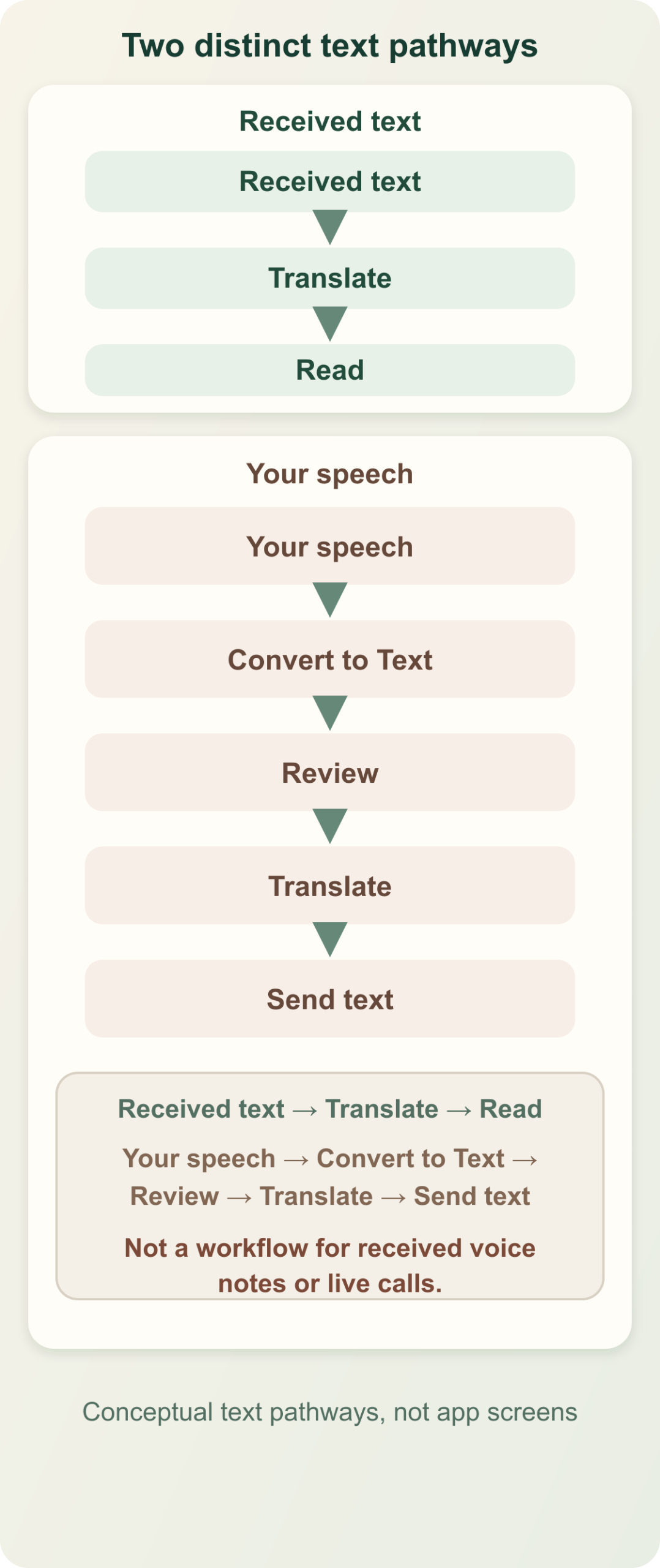
WeChat documents automatic incoming translation for version 8.0.56 and later. Its newer voice-to-text translation is a different workflow: you speak your own message, convert it to text, translate it, and send readable text. Keep those two jobs separate when choosing a method.
Translate a received message first
I would begin with one message, even if you intend to turn on automatic translation. It is the quickest way to check the output language before a whole conversation fills with translated text.
- Open the conversation containing the foreign-language text.
- Press and hold the message bubble until the action menu appears.
- Choose Translate and read the translation alongside the message.
- If you need another output language, press and hold the translated message, choose Change Language, and select it.
These steps come from WeChat’s translation guide. Keep the original sentence in view when checking a name, address or price. The translated words explain the message; the original may still be what you need to show a driver or search on a map.
Turn on automatic translation for incoming text
- Check that your mobile WeChat app is updated. WeChat’s published minimum for this feature is 8.0.56.
- Open Settings, then General, then Translation.
- Turn on the automatic translation toggle and select your desired reading language.
- Check the next incoming message written in another language. A message already in your selected language should not be translated.
That last condition matters. If you choose English and test with an English message, the lack of another version is expected. To check the setting, use an ordinary incoming message in a different language rather than repeatedly changing unrelated menu-language settings.
Automatic translation suits a family group, a neighborhood conversation or frequent messages from a partner abroad. Manual translation is easier when only occasional messages need help. This mobile setting should not be assumed to exist in the same place on desktop or web.
Send a translated reply
For typed replies, a dependable fallback is to write a complete sentence in a text translator, select the other person’s language, and paste the result into WeChat. Check the draft before sending. The translation setting for incoming messages is not, by itself, evidence that your outgoing English reply will arrive in another language.
If you prefer speaking, WeChat also documents a native way to turn your own recorded speech into translated text before sending. Its voice translation announcement names version 8.0.63 and lists Cantonese, English and Mandarin for the described feature. Check the available language choices in your app rather than assuming every language pair is included.
- Open the chat and press and hold Hold to Talk.
- Speak your message, then keep your finger on the screen while swiping toward Convert to Text.
- Wait for conversion to finish. WeChat warns that lifting your finger too early sends the voice message instead.
- Read the recognized text and correct any names or numbers before translation.
- Open the … menu, select the translation language, review the translated text, and tap Send.
The recipient gets text through this sequence. It is useful when speaking is easier than typing, but it does not establish automatic translation of voice notes someone else has already sent you.
A practical example: turn a location update into a clear plan
Suppose a local contact sends a message about moving dinner to another restaurant. Translate the complete message, then retain the restaurant’s original name and address. If the translation says “come a little later,” ask for a clock time.
“Is dinner now at 7:30 p.m.? Please send the restaurant’s map location. I’ll meet you at the entrance.”
I would translate that reply as one short paragraph. It settles the time and location without asking the other person to explain the same plan again. If you dictate it, check that “7:30” survived speech recognition before translating; translation cannot repair a time that was transcribed incorrectly.
If WeChat Translate is missing or seems wrong
- No automatic translation setting: check the app version and try the per-message action. If your installation still lacks the setting, copy the text into a separate translator instead of assuming a desktop tutorial matches your phone.
- No translation appears for a test message: check whether its language matches your selected output language. WeChat specifically excludes that case from automatic translation.
- The message is a sticker, photo or audio clip: the text-message instructions do not apply to those inputs. Ask for a typed version when the detail matters.
- The words translate but the meaning remains unclear: ask a focused question about the missing subject, date or condition. Translating “after that” again will not reveal which event the sender meant.
Use the built-in text options when they fit. Treat received audio and live calls as separate tasks, with their own supported inputs and audio permissions. A working text translation menu does not prove that another tool can listen to a WeChat call.